OP OpenPrivateDrive
OP OpenPrivateDrive
Secure File Request · Self-Hosted

Secure file request links on your own infrastructure.

Send private upload requests to anyone and capture files securely on your server, with password protection and expiration controls.

Your files stay private

Keep documents on your own infrastructure instead of shared cloud storage.

Secure external collection

One-time upload requests with passwords and size limits for partners.

Cloud-like workflow

Search, previews, sharing, and mobile-ready access without vendor lock-in.

OpenPrivateDrive dashboard - Secure File Request system for collecting documents
🖥️ Self-hosted
🔒 Private infrastructure
Open-source core
🗄️ Your server
Not a SaaS subscription
🛡️

Full data control

Host your drive on a VPS, private server, or internal network with no third-party data access.

🔓

Open-source independence

Audit the code, customize the platform, and avoid subscription lock-in.

Privacy-first collaboration

Use familiar file sharing while protecting sensitive uploads with encryption.

Different deployment philosophy

Request files with complete control.

Traditional file request tools are cloud-dependent. OpenPrivateDrive lets you send secure file requests from your own server with password protection, expiration, and size limits.

Deploy on your server or VPS
Invite users and assign roles
Share files internally with permissions
Collect partner files via one-time upload links
Search, preview, and access documents securely
Full audit trail — no external cloud dependency

Honest comparison

Pick the right tool for your situation.

Both tools solve real problems. The right choice depends entirely on where you need your files to live.

☁️

Use standard cloud storage if…

  • You want a fully managed productivity cloud
  • Your team relies on external cloud providers
  • You prefer not to manage your own server or backups
🔒

Choose OpenPrivateDrive if…

  • Files must stay on your own server, VPS, or private network
  • You need encrypted upload workflows and controlled external file collection
  • You want open-source private drive software you can audit and customize

Side by side

File Requests vs OpenPrivateDrive

Key decision-driving differences at a glance.

Criterion
SaaS Cloud Storage
OpenPrivateDrive
Where files live
SaaS Cloud Storage's managed cloud
Your server or VPS
Deployment model
Fully managed SaaS
Self-hosted, open-source
External file collection
Shared links, account-based access
One-time upload request links (no account needed)
Sensitive uploads
SaaS Cloud Storage's security model
AES-256-GCM + scrypt, password-protected
Data ownership
Files in SaaS Cloud Storage infrastructure
Files on your infrastructure
Pricing model
Monthly SaaS subscription
One-time setup, self-managed

How it works

Up and running in three steps.

01

Deploy on your server

Install on any VPS, dedicated server, or private intranet in minutes using the provided Docker setup.

02

Invite your team

Create users, define roles, and set folder permissions. Your data never leaves your infrastructure.

03

Share and collect files

Send internal share links or generate one-time upload request links for external partners — no account required.

Product preview

See it in action.

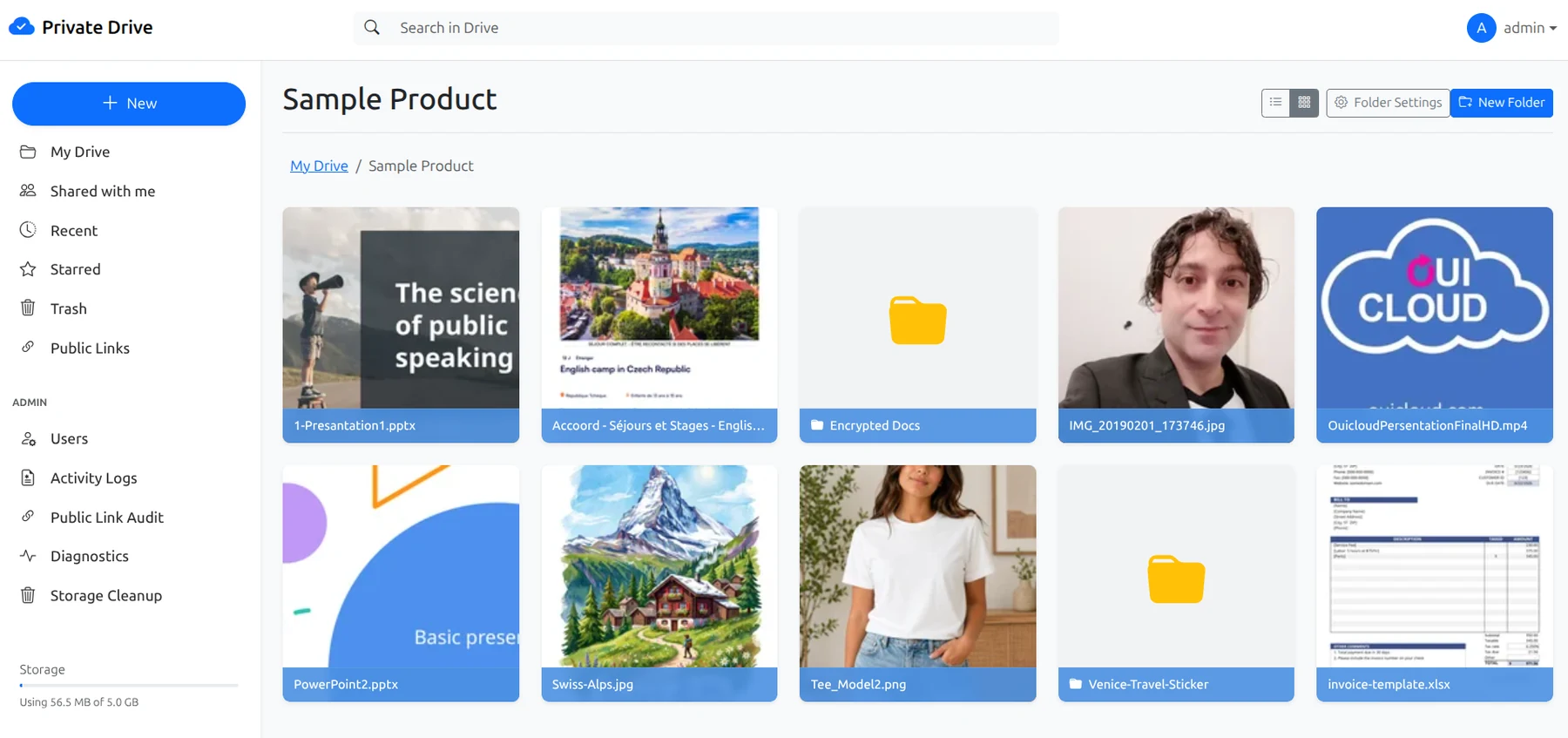
OpenPrivateDrive dashboard showing private cloud drive with folders, previews, search, and storage management.

Private drive dashboard

A clean file browser — folders, previews, search, and admin in one place.
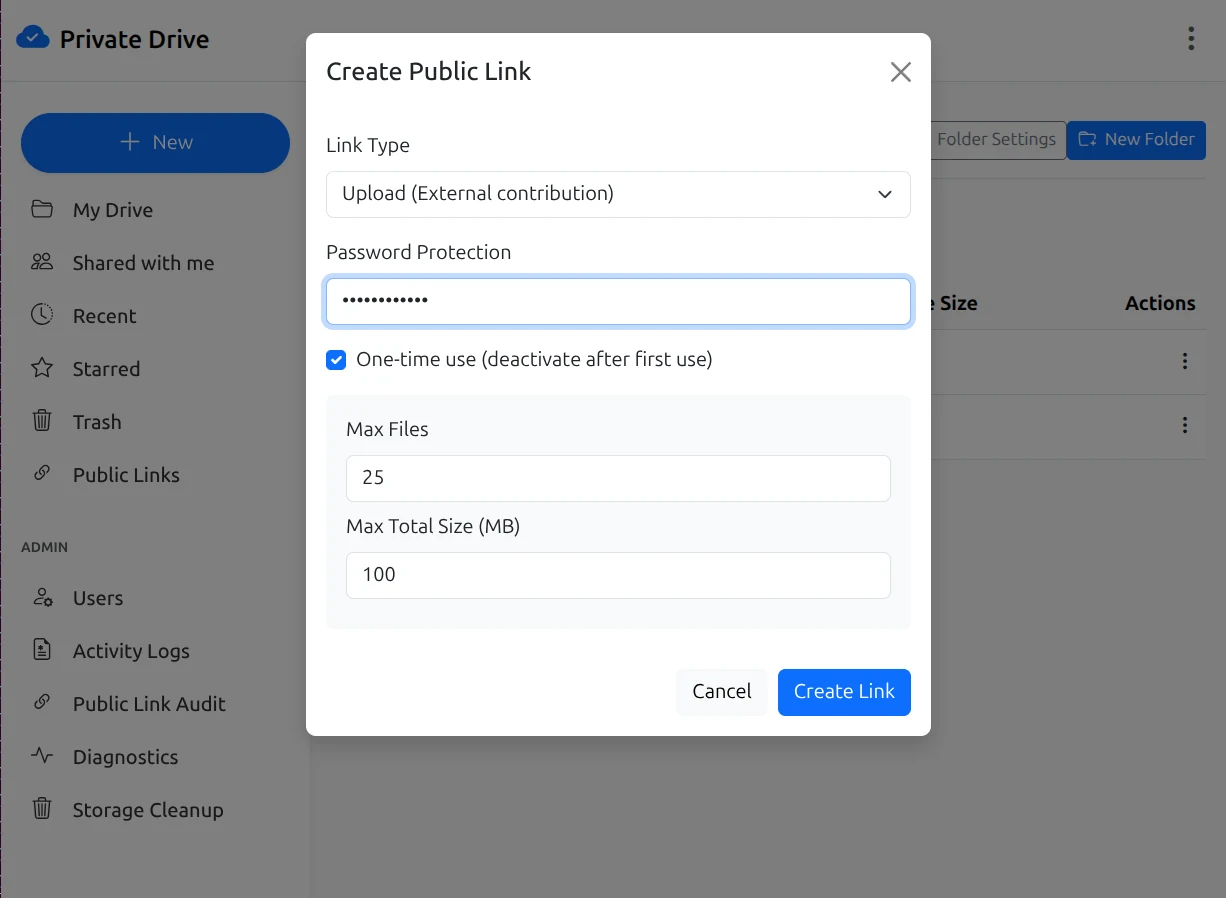
OpenPrivateDrive public upload request link interface with password, max files, and size limit options.

Partner upload links

Generate one-time upload requests. Partners send files directly without needing an account.
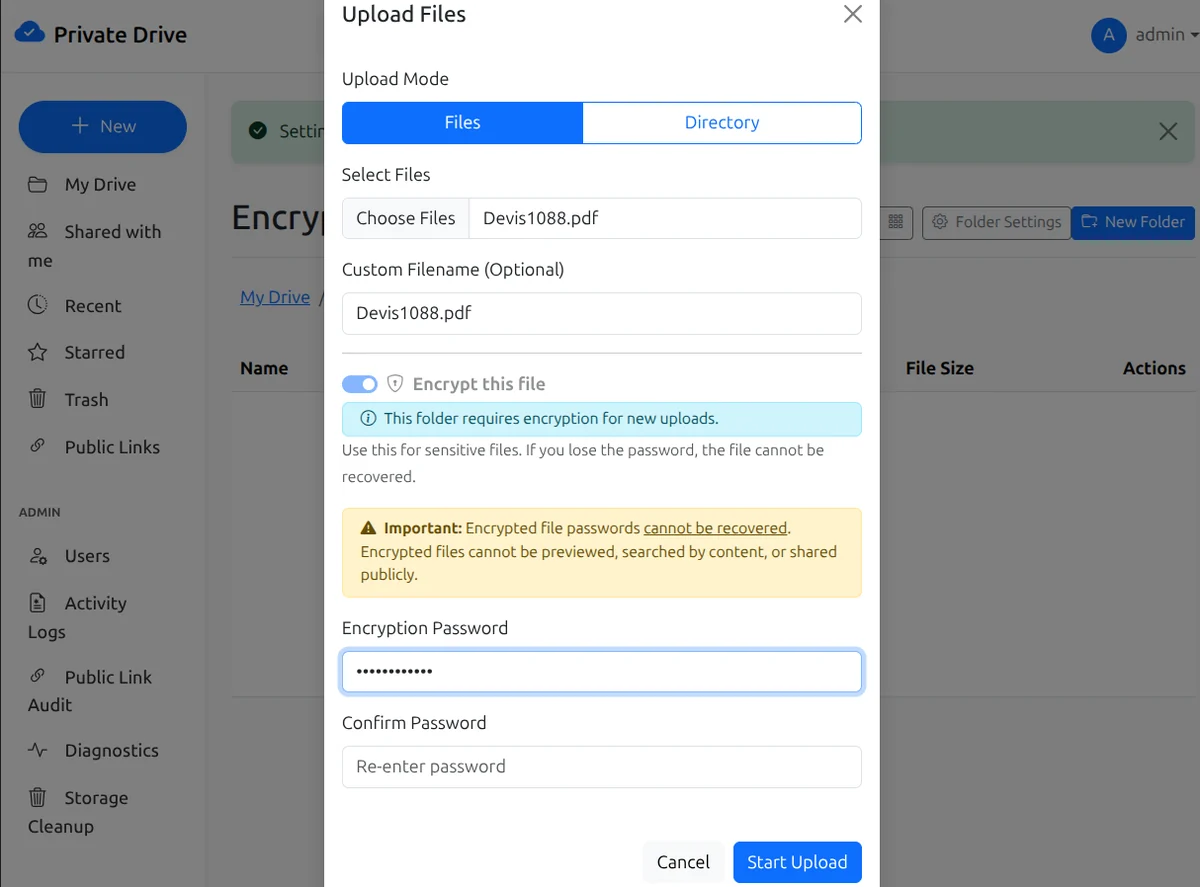
OpenPrivateDrive encrypted upload flow with password protection and AES-256-GCM encryption.

Encrypted uploads

Protect sensitive documents with AES-256-GCM encryption and password-based keys.

Security by design

Built for sensitive workflows.

Every sharing and upload feature includes controls for teams that handle confidential documents.

🔐

AES-256-GCM uploads

Password-protected encrypted uploads with scrypt key derivation.

👥

Role-based sharing

Granular user roles and folder-level permissions.

🔗

Password-protected links

Secure internal and external sharing with optional passwords.

🖥️

Private server deployment

All data stays on your own infrastructure — no third-party cloud.

Who uses this

Teams where data location matters.

OpenPrivateDrive is used by teams in regulated industries, agencies managing client files, and organizations that simply prefer to keep sensitive documents off shared cloud infrastructure.

Legal & Notarial
Confidential document exchange with clients and partners
Healthcare
Sensitive file workflows on compliant private infrastructure
Architecture & Engineering
Large project files without third-party cloud dependency
Finance & Accounting
Regulated document storage with full audit control
SMBs & Agencies
Client file portals on own branding and servers

FAQ

Common questions answered.

Can I send secure file request links to external users? +

Yes. Create upload request links for anyone and collect files securely on your server.

Can the links require a password and expire automatically? +

Yes. Every request can include password protection and time-based expiry.

Do submitted files stay on my infrastructure? +

Yes. All uploaded files remain on your server, not in third-party cloud storage.

Ready to evaluate?

Send secure file requests from your server?

Request files with password protection, expiration, and size limits — all on your infrastructure.

✓ Open-source ✓ Self-hosted ✓ Your data, your server